
Manual
SDK overview
Select an RTK Cloud SDK package and understand the supported integration boundary.
The RTK Cloud SDK provides a consistent client boundary for device, mobile, web, and automation applications. Use an SDK instead of constructing Video Cloud wire requests directly. The SDK normalizes authentication, errors, timeouts, payloads, and compatibility behavior.
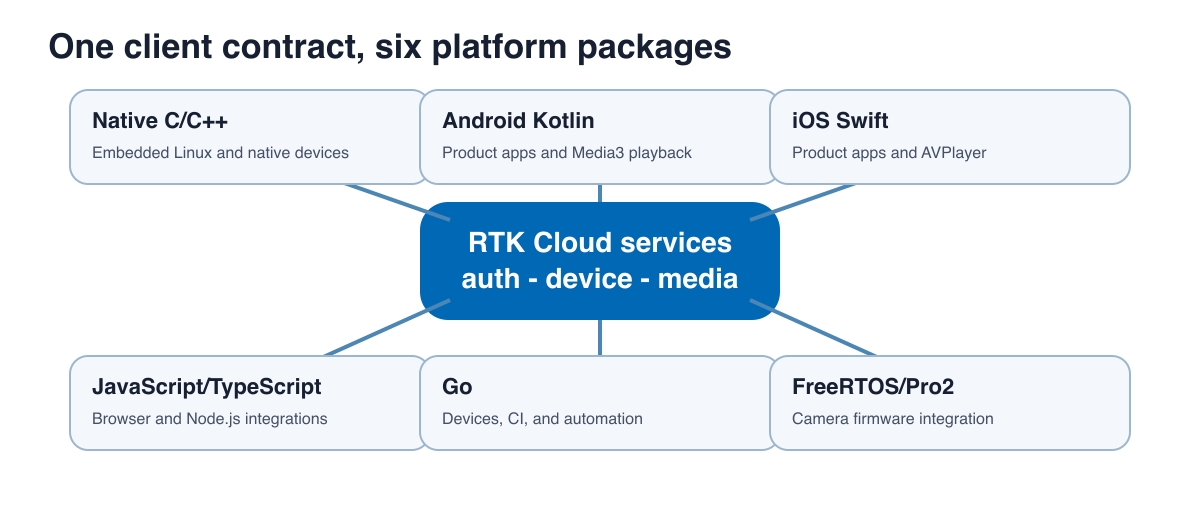
Package selection
| Package | Primary users | Distribution | Important boundary |
|---|---|---|---|
| Native C/C++ | Embedded Linux, device applications, cross-platform native products | Static library, headers, CMake metadata | Stable C ABI with a thin C++ wrapper |
| Android Kotlin | Android product applications | AAR and Maven metadata | The app owns UI, Media3 player lifecycle, and secure key storage |
| iOS Swift | iPhone and iPad product applications | SwiftPM source package | The app owns SwiftUI/UIKit, AVPlayer, Keychain, and Secure Enclave policy |
| JavaScript/TypeScript | Browser and Node.js tools | npm-compatible tarball | The SDK does not own application state or UI |
| Go | Device clients, CI, administration, and automation | Source module, currently draft/internal | Pure Go and no CGo dependency |
| FreeRTOS/Pro2 | AmebaPro2 camera firmware integration | Device demo source bundle | Board, media engine, storage, and vendor SDK remain application concerns |
Capability model
Applications should enable UI and operations from Account Manager product capability data. Bearer-token scopes authorize a request but do not prove that a purchased product enables the feature. Treat an unsupported-capability error as a product or deployment decision, not as a signal to bypass the SDK.
Ownership boundary
The SDK owns request construction, supported transport framing, response parsing, stable error categories, and documented retry/cancellation behavior. The application owns credentials, secure-key storage, UI state, media players, WebRTC peer connections, local persistence, and user consent. Cloud services own authorization, device ownership, clip verification, retention, and object-storage policy.
Versioning
Every published manual records the exact SDK commit and release version in its manifest. Confirm that the manual version matches the package being integrated. APIs labeled deprecated remain for compatibility and should not be selected for new integrations.